User Guides
This guide covers all certboy features for managing a local PKI hierarchy: Root CA → Intermediate CA → TLS certificates.
Table of Contents
- Root CA
- Intermediate CA
- TLS Certificates
- Check & Renewal
- Import & Export
- Revoke
- Shell Completion
- Context
- Key Algorithm
- CLI Reference
- Develop
Root CA
A Root Certificate Authority (CA) is the trust anchor in a PKI hierarchy. It is self-signed and used to sign Intermediate CAs and TLS certificates.
Create a Root CA

Parameters:
| Flag | Description | Required |
|---|---|---|
--domain |
The domain for the Root CA | Yes |
--cn |
Common Name for the CA | Yes |
--country |
Country code (default: CN) | No |
--key-algorithm |
ecdsa (default) or rsa |
No |
--expiration |
Expiration in days (default: 7300/20 years) | No |
--encrypt-key |
Encrypt private key with passphrase | No |
Examples
Basic Root CA (ECDSA)
Root CA with Different CN and Organization
In enterprise PKI, the Common Name (CN) often differs from the organization name:
Root CA with RSA
Root CA with Custom Expiration
# 10 years (3650 days)
certboy --domain example.com --cn "Example Organization" --root-ca --expiration 3650
Encrypted Private Key
This creates a pass.key file containing the passphrase for the encrypted private key.
Context Structure
After creating a Root CA, the context directory contains:
~/.local/state/certboy/
└── example.com/
    ├── meta.json          # CA metadata (algorithm, created date)
    ├── crt.pem            # Public certificate
    ├── key.pem            # Private key (encrypted if --encrypt-key)
    ├── pass.key           # Encryption passphrase (if applicable)
    ├── intermediates.d/   # Intermediate CAs directory
    └── certs.d/           # TLS certificates directory
Intermediate CA
An Intermediate CA is a certificate issued by a Root CA, used for delegated certificate signing. This allows you to have multiple signing authorities with different trust policies.
Create an Intermediate CA

Parameters:
| Flag | Description | Required |
|---|---|---|
--domain |
The domain for the ICA | Yes |
--ca |
Parent CA (Root CA or ICA) name | Yes |
--cn |
Common Name for the ICA | Yes |
--country |
Country code (default: CN) | No |
--expiration |
Expiration in days (default: 3650/10 years) | No |
Domain Ownership Validation
An ICA can only sign certificates within its domain subtree. This is a security feature.
Example:
- ICA:
ops.example.com - Allowed:
ops.example.com,grafana.ops.example.com,a.b.ops.example.com - Not allowed:
example.com,dev.example.com,other.com
Examples
Basic ICA
ICA with Different CN and Organization
ICA with Custom Expiration
Nested ICA (ICA signing ICA)
# Create a second-level ICA
certboy --domain team.ops.example.com --ca ops.example.com --cn "Team Services"
TLS Certificates
TLS certificates (also called server certificates) are end-entity certificates used by websites and services to enable HTTPS.
Issue a TLS Certificate
Parameters:
| Flag | Description | Required |
|---|---|---|
--ca |
Parent CA (Root CA or ICA) name | Yes |
--domain, -d |
Domain name(s) for the certificate | Yes |
--force |
Force re-sign existing certificate | No |
--expiration |
Expiration in days (default: 1095/3 years) | No |
--encrypt-key |
Encrypt private key with passphrase | No |
Examples
Single Domain
Multiple SANs (Subject Alternative Names)
certboy --ca example.com \
  --domain api.example.com \
  --domain '*.example.com' \
  --domain 192.168.1.100
Multiple Domains with Wildcard and IP
certboy --ca example.com \
  --domain multi.example.io \
  --domain '*.multi.example.io' \
  --domain api.multi.example.io \
  --domain 10.0.0.1

Wildcard Certificate
Force Re-sign
If a certificate already exists and you need to re-issue it:
Encrypted Private Key
Certificate Chain
TLS certificates issued by an ICA include the full certificate chain in fullchain.crt:
fullchain.crt
├── TLS certificate (www.example.com)
├── Intermediate CA certificate (ops.example.com)
└── Root CA certificate (example.com)
Expiration
Default expiration periods:
| Certificate Type | Default | Example |
|---|---|---|
| Root CA | 7300 days (20 years) | 730 |
| Intermediate CA | 3650 days (10 years) | 1825 |
| TLS Certificate | 1095 days (3 years) | 365 |
Check & Renewal
Check Certificates
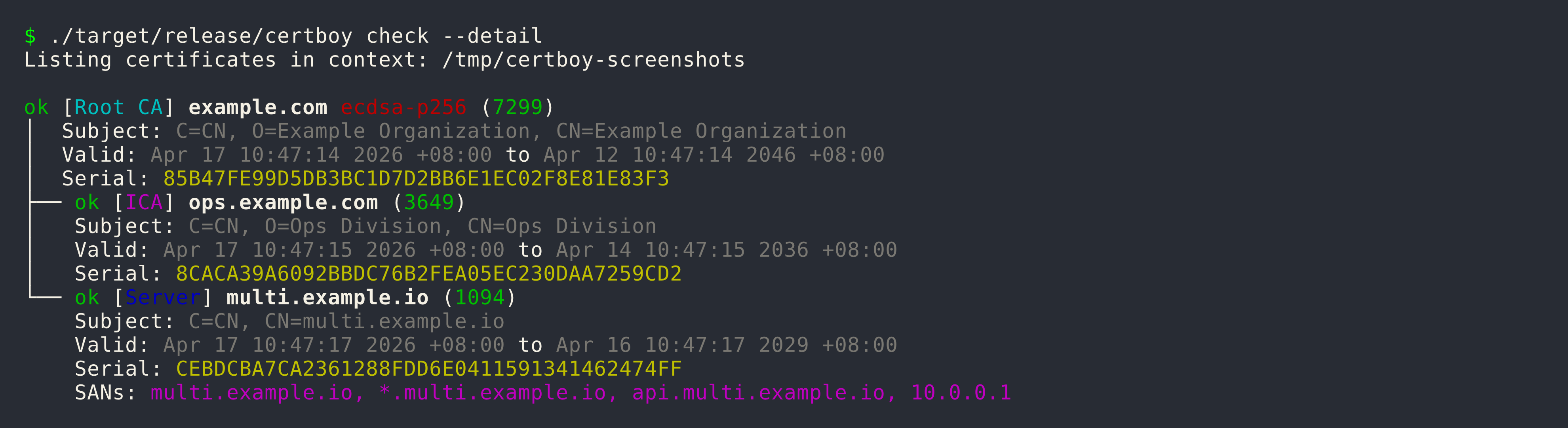
Show detailed information including DNS names and IP addresses:
Expiration Alert Threshold
By default, certificates expiring within 14 days are flagged. Customize:
Renew Expiring Certificates
This will renew certificates that are: - Within the expiration alert threshold - Not yet expired
Auto-fix
The --auto-fix flag detects and fixes common certificate issues:
# Interactive mode (prompts before each fix)
certboy check --auto-fix

# Automatic mode (applies fixes without prompting)
certboy check --auto-fix --yes
Auto-fix can address:
- Wrong fullchain.crt order (ICA-signed certificates)
- Duplicate or zero serial numbers
- Certificates needing re-signing due to structural issues
Verify Certificate Key Match
Verify that the private key matches the certificate using OpenSSL:
Remote Certificate Check
Compare remote TLS certificate with local:
This performs: 1. DNS resolution check with resolved IPs 2. TCP connect to port 443 3. SSL handshake and cert fetch 4. Serial comparison with local certificate
Import & Export
Certboy provides import and export functionality to work with certificates outside the default context.
Export
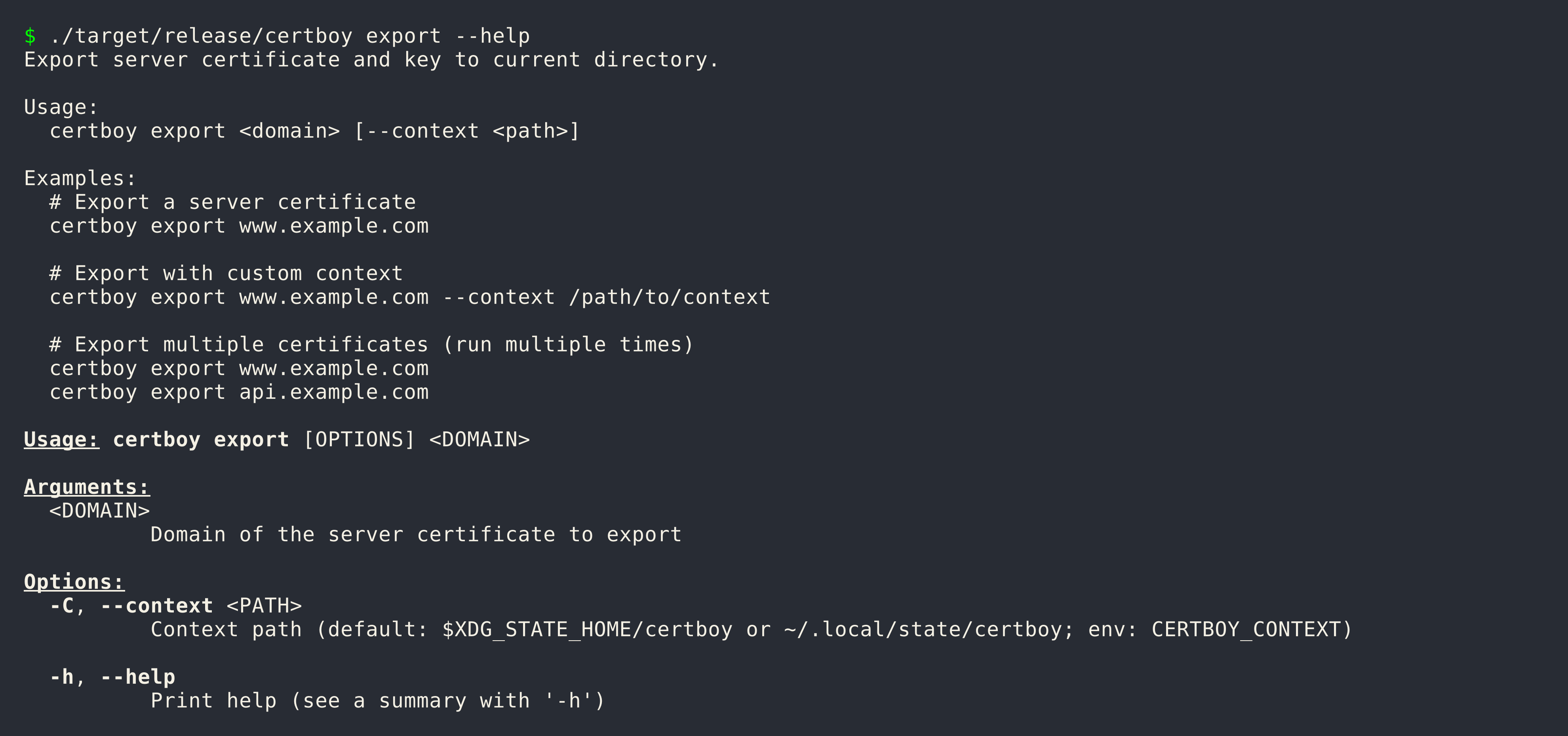
Export a TLS certificate and key to the current directory:
Import
Import an existing Root CA or ICA folder into a new context:
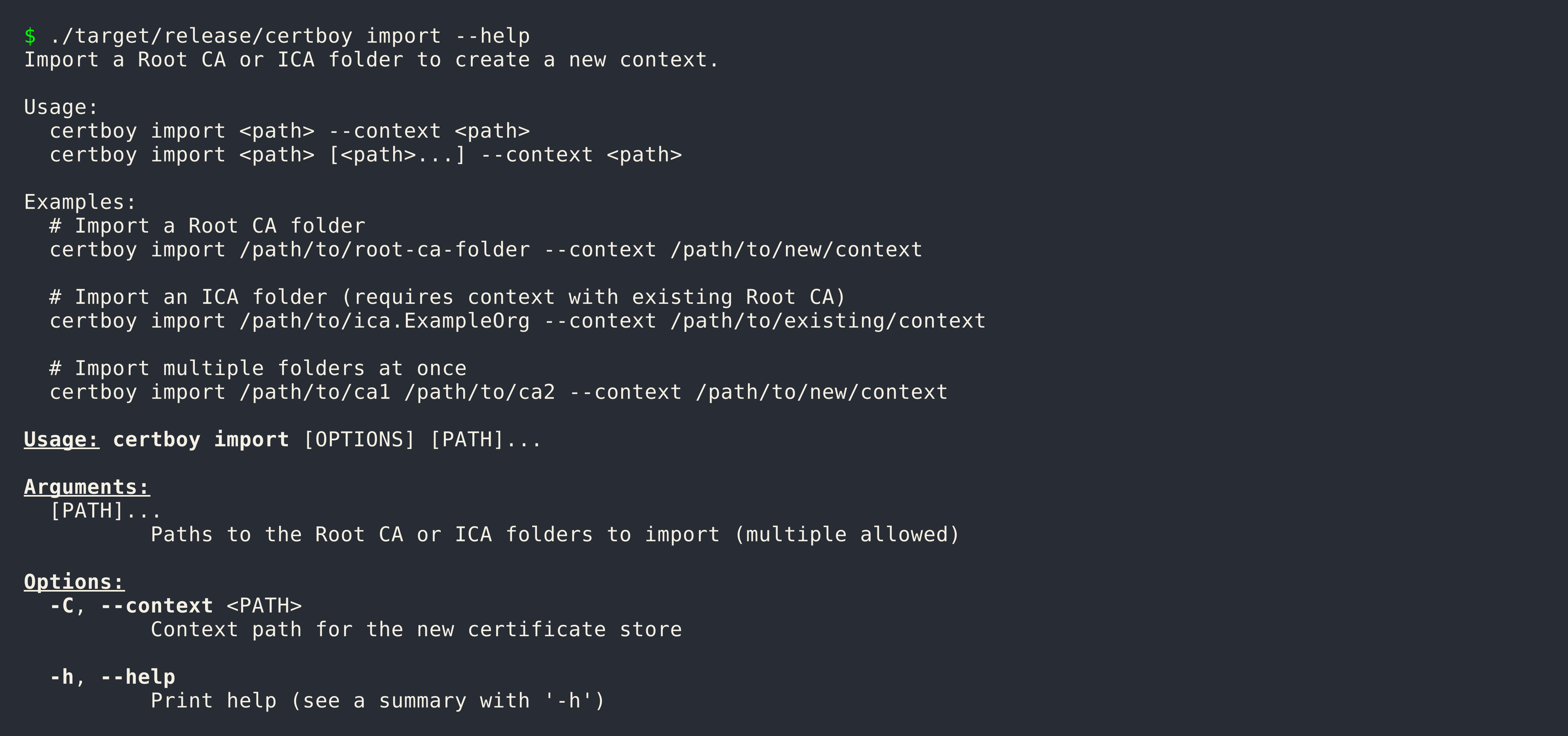
Import Requirements:
- crt.pem - Public certificate
Examples
Import a Root CA
Import an ICA
Import Multiple CAs
Use Cases
Backup and Restore
# Export
certboy export www.example.com --context /backup/context

# Import to new location
certboy import /backup/context/example.com --context /new/context
Migration
# On old system
certboy export www.example.com

# Copy files to new system, then import
certboy import /path/to/www.example.com --context /new/context
Consolidation
certboy import /path/to/ca-a --context /consolidated
certboy import /path/to/ca-b --context /consolidated
Revoke
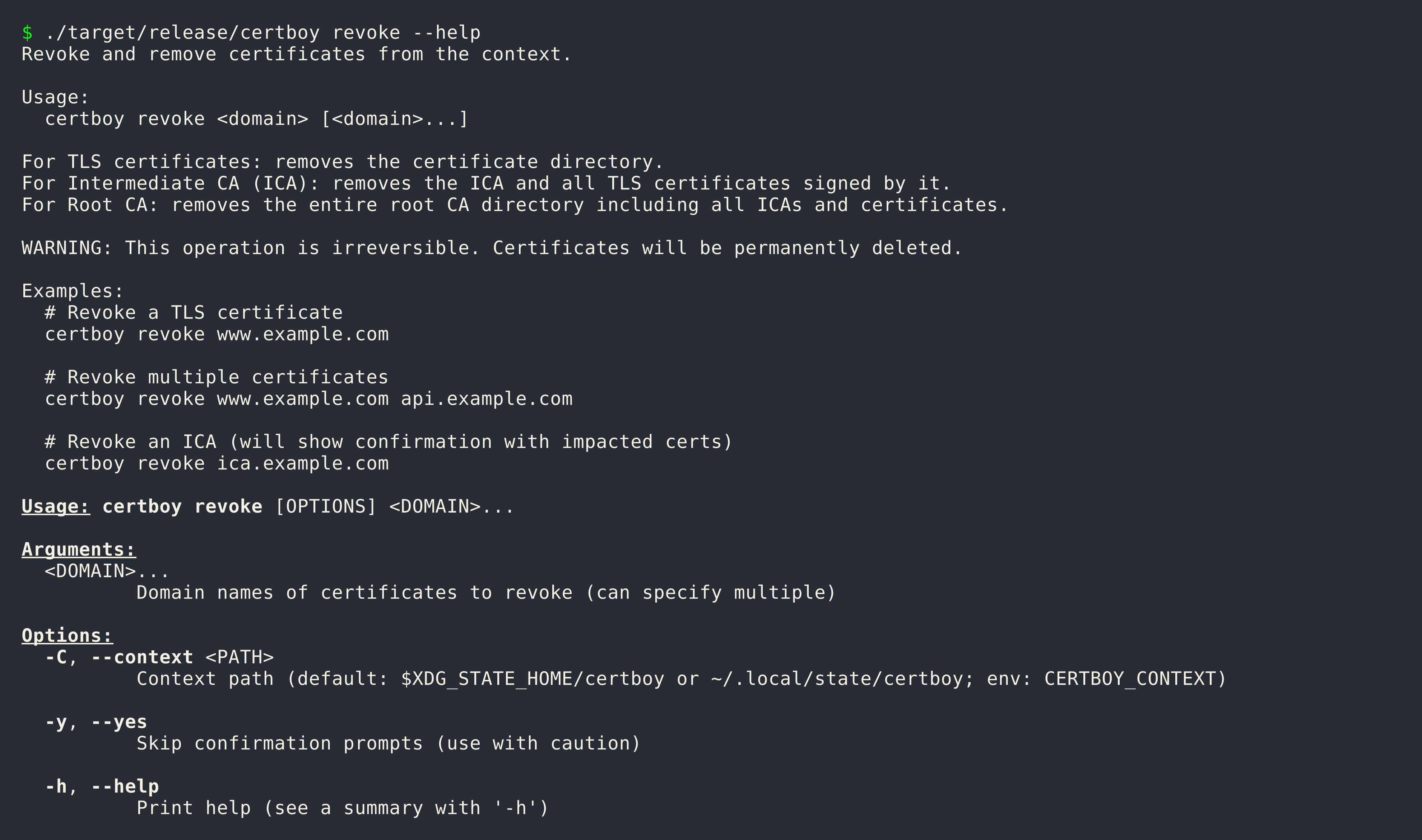
The revoke command removes certificates from the context. This operation is irreversible.
Revoke a TLS Certificate
Revoke Multiple Certificates
Revoke an ICA
When revoking an ICA, all TLS certificates signed by that ICA are affected:
Skip Confirmation
Revocation Behavior
| Type | What Gets Removed |
|---|---|
| TLS Certificate | The certificate directory |
| Intermediate CA | The ICA and all its signed certificates |
| Root CA | The entire Root CA directory (including all ICAs and certificates) |
Safety
This operation is permanent. Always export certificates before revoking:
Shell Completion
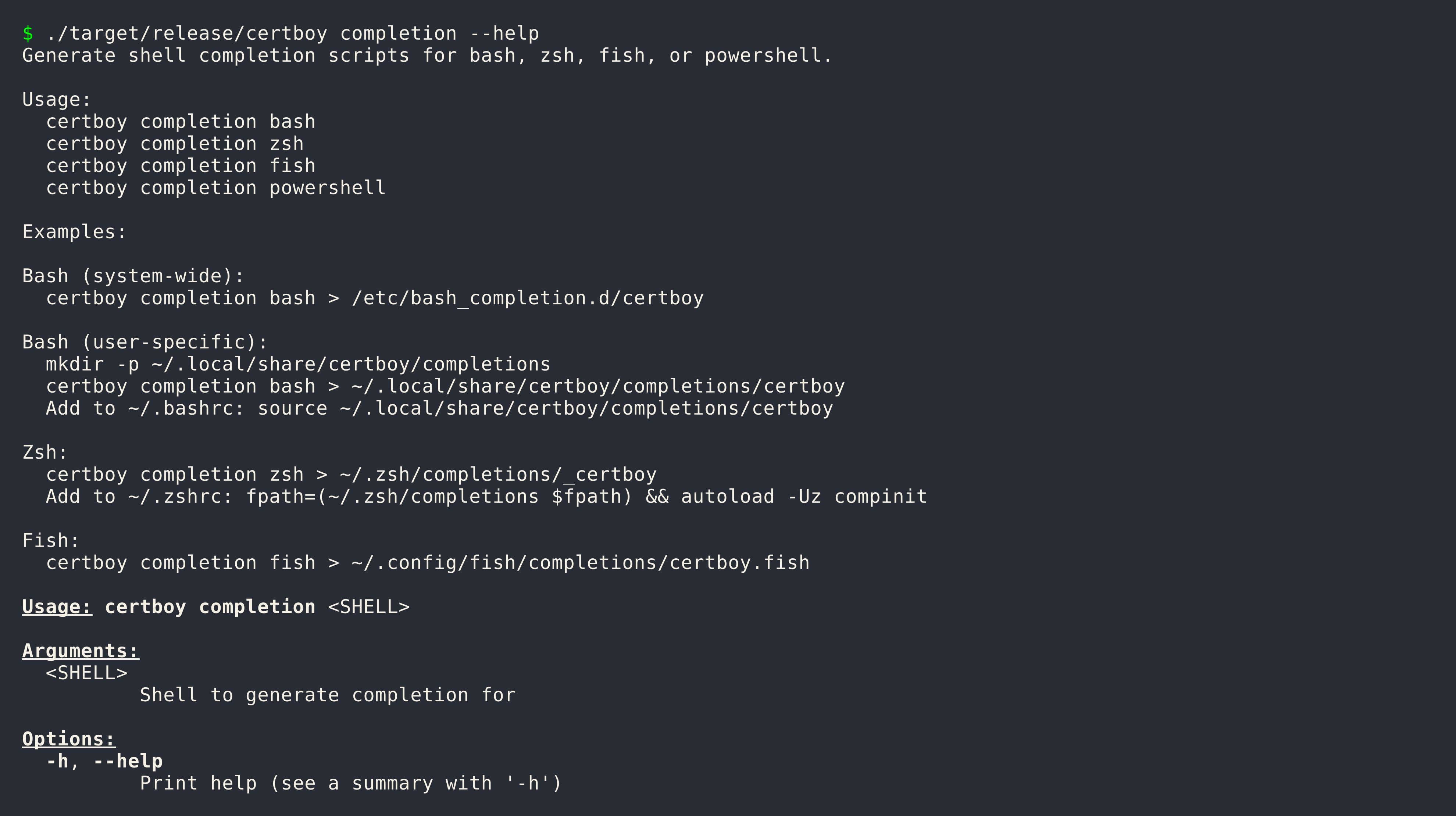
Certboy can generate shell completion scripts for bash, zsh, fish, and PowerShell.
Generate Completion
certboy completion bash
certboy completion zsh
certboy completion fish
certboy completion powershell
Bash
System-wide:
User-specific:
mkdir -p ~/.local/share/certboy/completions
certboy completion bash > ~/.local/share/certboy/completions/certboy
Add to ~/.bashrc:
Zsh
Fish
PowerShell
Context
A context is a directory that stores all certificate authorities and TLS certificates managed by certboy.
Default Context
This location is used when:
- No --context flag is provided
- No CERTBOY_CONTEXT environment variable is set
Override Context
Command-line:
Environment Variable:
Directory Structure
~/.local/state/certboy/
├── example.com/              # Root CA
│   ├── meta.json
│   ├── crt.pem
│   ├── key.pem
│   ├── intermediates.d/     # Intermediate CAs
│   └── certs.d/             # TLS certificates
└── another.com/             # Another Root CA
Use Cases
Separate Environments:
# Production
certboy --context ~/.local/state/certboy-prod ...

# Development
certboy --context ~/.local/state/certboy-dev ...
Project-specific:
Key Algorithm
Certboy supports two key algorithms: ECDSA and RSA.
| Algorithm | Flag Value | Key Size | Default |
|---|---|---|---|
| ECDSA P-256 | ecdsa |
256-bit | Yes |
| RSA | rsa |
2048-bit+ | No |
Specify Algorithm
# ECDSA (default)
certboy --domain example.com --cn "Example" --root-ca

# RSA
certboy --domain example.com --cn "Example" --root-ca --key-algorithm rsa
Algorithm Inheritance
All certificates issued under a Root CA inherit the same algorithm:
Root CA (ECDSA)
├── ICA (inherits ECDSA)
│   └── Certificate (inherits ECDSA)
└── Certificate (inherits ECDSA)
Comparison
| Feature | ECDSA | RSA |
|---|---|---|
| Performance | Faster signing | Slower signing |
| Key Size | Smaller (256-bit) | Larger (2048-bit+) |
| Hardware Token Support | Good | Excellent |
CLI Reference
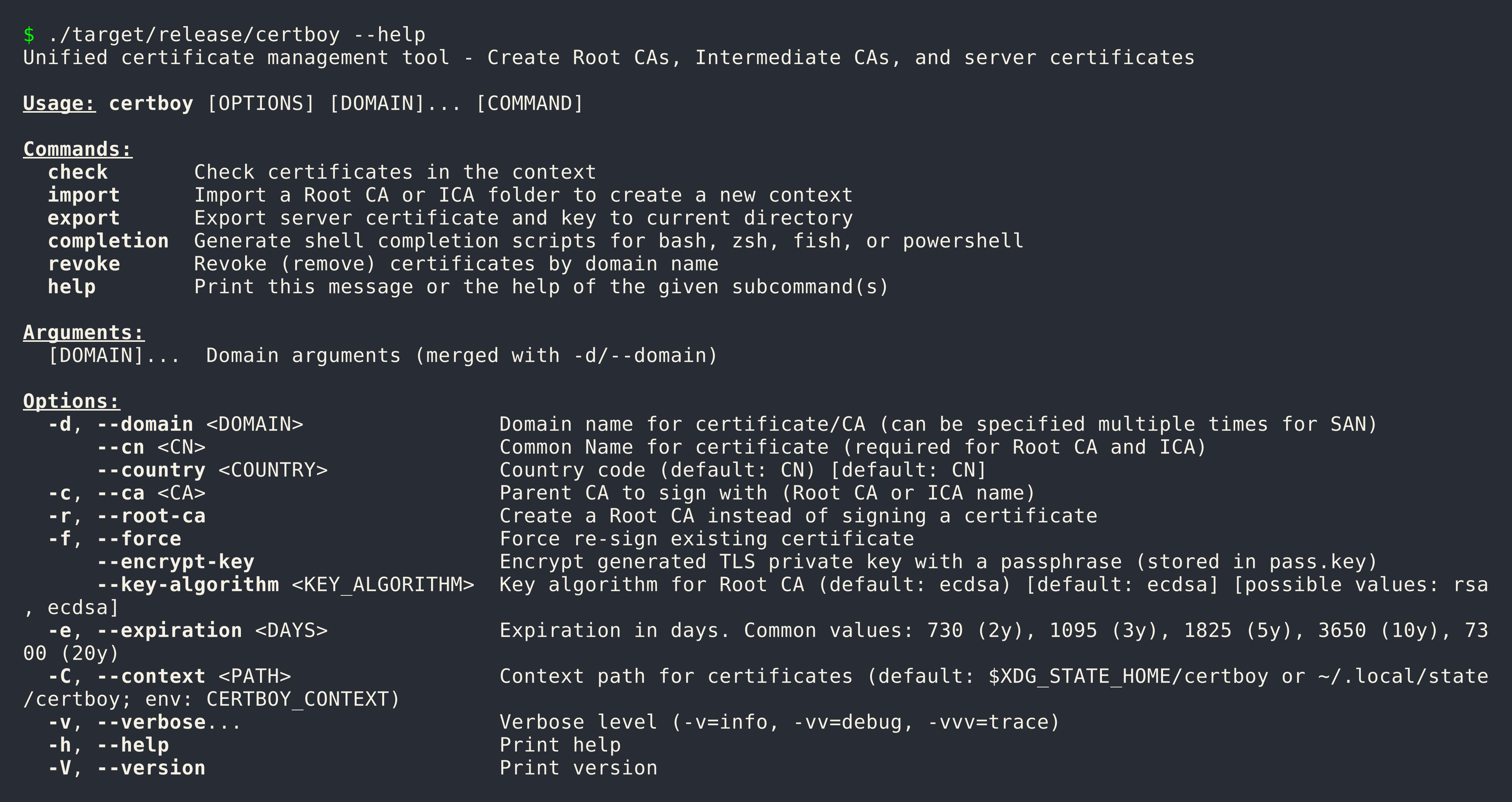
Complete reference for all certboy commands.
Global Options
These options apply to all commands:
| Option | Short | Description | Default |
|---|---|---|---|
--domain |
-d |
Domain name(s) for certificate/CA | |
--cn |
Common Name (required for Root CA and ICA) | ||
--ca |
Parent CA to sign with | ||
--root-ca |
Create a Root CA | false | |
--force |
-f |
Force re-sign existing certificate | false |
--encrypt-key |
Encrypt private key with passphrase | false | |
--key-algorithm |
Key algorithm (ecdsa or rsa) |
ecdsa |
|
--expiration |
-e |
Expiration in days | varies |
--context |
-C |
Context path | ~/.local/state/certboy |
Common Expiration Values
| Days | Years | Use Case |
|---|---|---|
| 365 | 1 year | Short-term certificates |
| 1095 | 3 years | TLS certificates (default) |
| 1825 | 5 years | Medium-term CAs |
| 3650 | 10 years | Intermediate CAs (default) |
| 7300 | 20 years | Root CAs (default) |
Environment Variables
| Variable | Description |
|---|---|
CERTBOY_CONTEXT |
Default context path |
LOGLEVEL |
Log level (trace, debug, info, warn, error) |
Develop
This page covers local development workflow, testing, and contribution guidelines.
Quickstart
Clone and build:
Run locally:
Testing
Run All Tests:
Run Tests Without Coverage:
Run Clippy (Linting):
Security Audit:
Makefile Targets
| Target | Description |
|---|---|
make help |
Show all available targets |
make build |
Build release binary |
make check |
Run cargo check |
make test |
Run tests with coverage |
make clippy |
Run linter |
make audit |
Run security audit |
make clean |
Clean build artifacts |
make doc-dev |
Serve documentation with live reload |
make install |
Install via cargo |
make musl |
Build musl target |
make changelog |
Generate CHANGELOG.md |
make bump |
Bump version |
GitHub Actions
- ci-tests.yml: Runs on every push and PR
- ci-build.yml: Runs on tag push - builds multi-platform binaries (Linux gnu/musl, Darwin, ARM Linux)
- ci-publish.yml: Runs after ci-build completes - creates GitHub Release and publishes to crates.io
- ci-pages.yml: Builds and deploys documentation
- ci-bumpversion.yml: Auto-bumps version on main branch pushes (dev builds)
- ci-git-tag.yml: Creates git tags when VERSION file changes
Release Workflow
Releases are automated via GitHub Actions:
- Version Bump (automatic): When
VERSIONfile changes on main,ci-bumpversion.ymlbumps the version and commits - Tag Creation:
ci-git-tag.ymlcreates a git tag (v{version}) when VERSION changes - Build:
ci-build.ymltriggers on tag push, building for multiple platforms: x86_64-unknown-linux-gnux86_64-unknown-linux-muslaarch64-apple-darwinaarch64-unknown-linux-gnuaarch64-unknown-linux-musl- Publish:
ci-publish.ymlcreates a GitHub Release with all artifacts and publishes to crates.io
Trigger a Release:
# Update VERSION file to release version (removes -devN suffix)
echo "2026.4.1" > VERSION
git add VERSION
git commit -m "release: 2026.4.1"
git push origin main
Version Scheme:
| Type | Format | Example |
|---|---|---|
| Dev build | YYYY.M.PATCH-devN |
2026.4.1-dev0, 2026.4.1-dev1 |
| Release | YYYY.M.PATCH |
2026.4.1 |
Documentation
Serve documentation locally:
Build docs for production:
Contributing
- Run
make testandmake clippybefore submitting PR - Ensure all tests pass
- Update documentation if needed